|
E-Commerce Download Reinstall |
|
|
You can reinstall a download
version of FS Panel Studio using your
supplied key at any time.
Before you
begin, here are some things to
keep in mind regarding key
problems:
Do not contact us for
license key issues. All
license key questions and
problems are handled by
Flight1.com, as described
below.
IMPORTANT!!! Unless you
purchased FS Panel Studio
after Oct 2006, your upgrade
will require a NEW key from
Flight1.com. You can check
your current key using the
Flight1 Key checking
program.
1.
If you have lost your key
and have your order
number and original email
address, go to
https://www.flight1.com/view.asp?page=keyrequest
to retrieve your key. Note:
The order password when you
use this key on FS Panel
Studio will be the last 4
digits of the phone number
used on the order. If you
need your order password
sent to you, see #2 below.
2.
If you do not have your
order number and/or
password, but still have
access to the original email
address, you can click
https://www.flight1.com/view.asp?page=lostorder
to get your order numbers
and/or password.
3.
If you no longer have access
to the email address used
for your order, submit a
ticket through the
Flight1.com ticket system at
http://www.flight1.com/ticket.asp
and make sure you select the
"Order Information Change"
option. Note: It will be
important that your mail or
spam filters allow mail from
Flight1.com. You can run a
simple email test at:
http://www.flight1.com/view.asp?page=emailtest
to verify whether or not you
can receive mail properly.
If you cannot get a mail
from Flight1.com, check your
spam filter settings, or
contact your ISP's technical
support department and tell
them about the problem.
Ready to begin?
The following
9 step process will upgrade your
copy of FS Panel Studio to the latest
version. You do not need to have
FS Panel Studio installed, but you
will need your copy of the key file
you received when you originally
purchased FS Panel Studio. If
you cannot complete these steps
after multiple attempts please
contact Flight1.com directly for help.
-
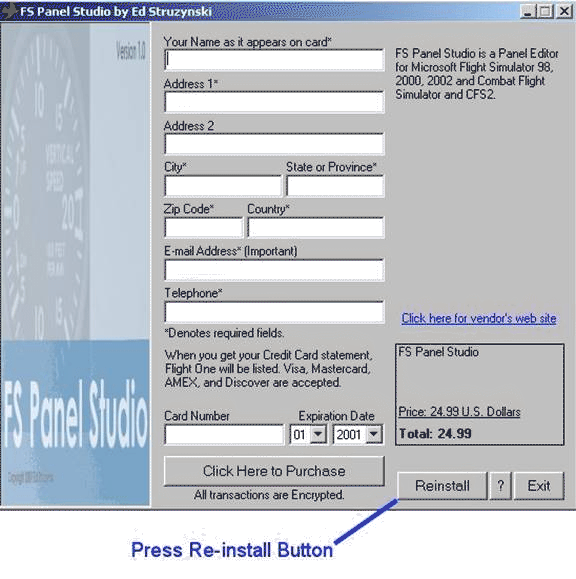
Step 1
Double click
on the FSPSInstall.exe
file to launch the program,
as displayed below. Click on
the Reinstall button.
Note that the screens may be
slightly different depending
on the version downloaded.
NOTE: If you
are asked for a password --
Passwords normally will be
the last 4 digits of the
credit card used for the
purchase, a vendor issued
password, or if the key is
being upgraded from a
previous wrapper version,
the password will be the
last 4 numbers of the telephone number
used on the order, without
spaces or dashes. You can
retrieve your passwords via
the
Flight1.com Password
Retrieval Page.
Key
Replacement
You can check
to see if your old key is
compatible with the latest
installer by running the
Flight1.com key checking
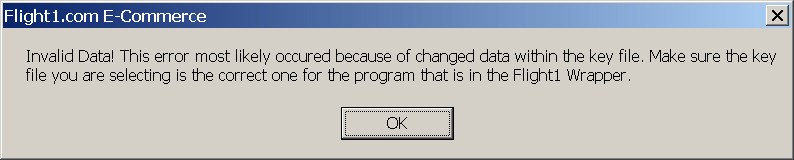
program. If this check fails, or
if you see
the following message when
attempting to reinstall or
upgrade, you will need a new
key.
Flight1 has improved the
security and robustness of their
download security tools. This
means that if you purchased FS Panel Studio
prior to March 15, 2006, you
will have to replace your key to upgrade or reinstall
your software. You can do so
easily and quickly, 24
hours a day, at the
Flight1.com
self service key replacement
page.
-
Step 2
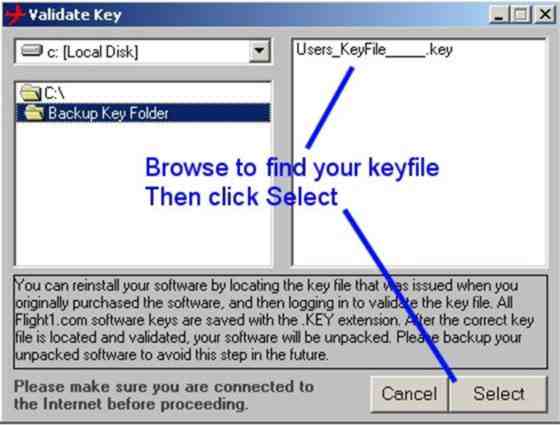
The original installation prompted
you to backup your unique key
file in case of problems or
future need of reinstalling
the program. Key files should
be backed up to media other
than your immediate hard drive
such as a floppy disk or CD-Rom.
Use the windows style browser
to locate and select your key
file. Make sure you highlight
the key file you wish to use.
You may have multiple key files,
if, for example, you also have
other Flight1.com titles. Make
sure you select the key for
FS Panel Studio.
-
Step 3
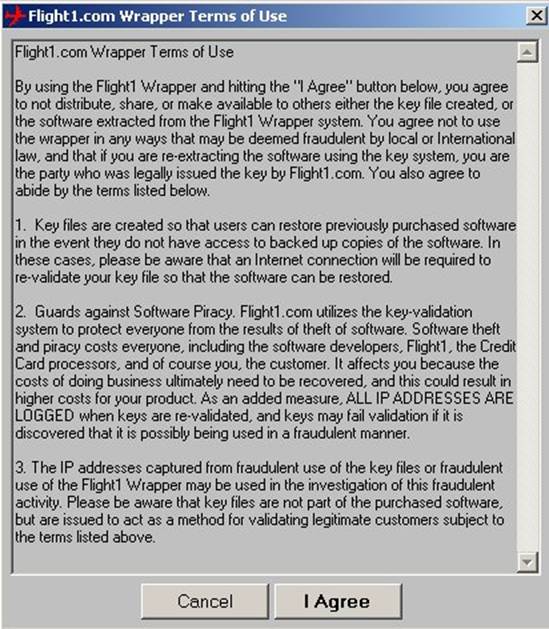
After locating and selecting
your key file, and acceptance
of terms of agreement, press
the “I agree” button.
-
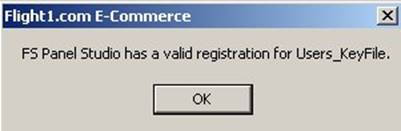
Step 4
The wrapper utility will now
go online (make
sure you are connected to the
Internet and that your connection
is working. - you may need to
disable any firewalls or anti-virus
programs which are running)
and validate your key file.
Once validated, you will receive
a confirmation.

-
Step 5
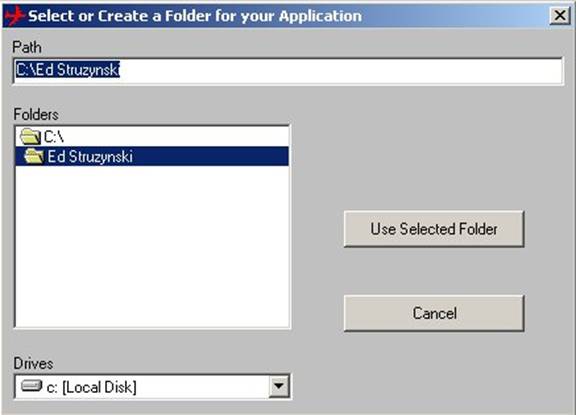
The wrapper utility will now
prompt you for a default installation
directory.

-
Step 6
It is recommended that you accept
the default directory.
-
Step 7
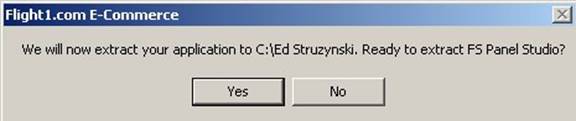
The wrapper utility will now
extract the application to the
selected folder and begin the
installation process.
-
Step 8
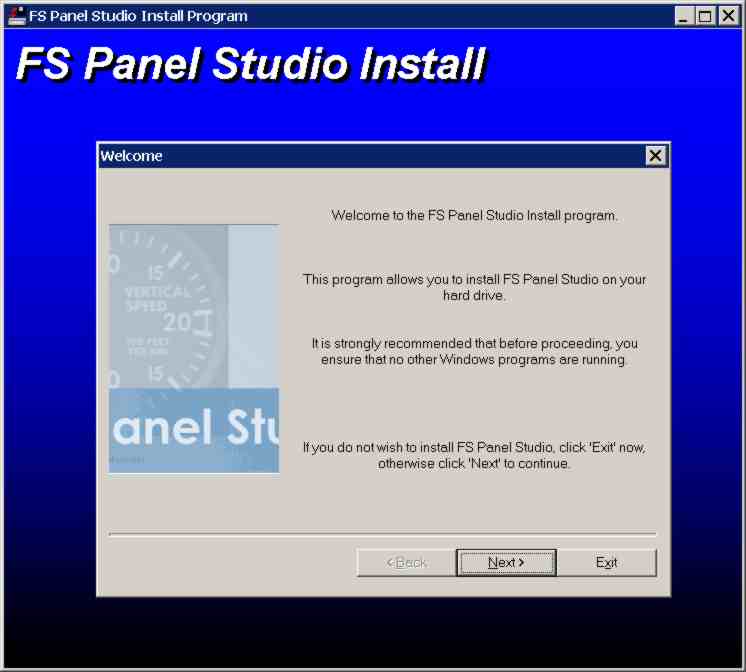
The FS Panel Studio setup.exe
program will automatically begin.
Answer the questions to begin
installation.
-
Step 9
To verify you have the latest
version. select the "Help: About
FS Panel Studio" menu pick,
and examine the Build number
displayed. Your upgrade is complete.
|



 Home
Home







 the
best tool ... for creating and editing FS2002 Panels.
the
best tool ... for creating and editing FS2002 Panels.